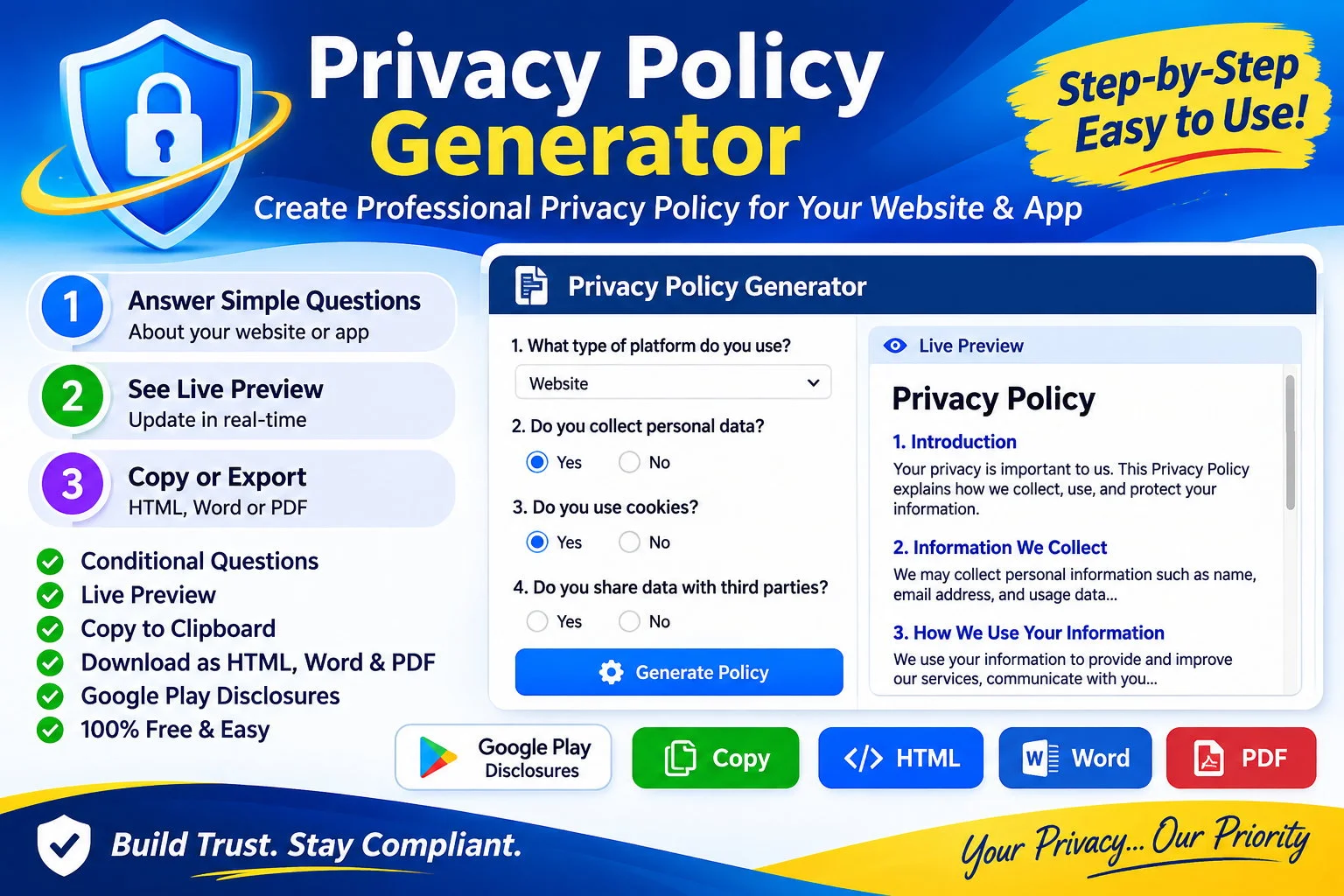
Free Privacy Policy Generator for Android Apps & Websites
Welcome to the MissionEdu Privacy Policy Generator—a fast, free, and developer-friendly studio designed to help mobile app creators, website owners, bloggers, and businesses create a complete legal privacy policy in minutes. Built as a 100% web companion to our official Android mobile app, this interactive 8-step privacy policy generator also creates ready-to-use Google Play Console App Content and Data Safety tick answers, then lets you export everything as a clean Word (.docx) file, PDF, or copyable text.
Why Use Our Privacy Policy Generator Studio?
Publishing an Android app on Google Play or launching a website requires a transparent, accurate privacy policy that complies with app store rules and global privacy regulations. Writing legal clauses manually is time-consuming and confusing—especially when Google Play Console asks detailed questions about Data Safety, Content Rating (IARC), Ads, Sign-in details, Financial features, and Target Audience.
Our privacy policy generator for Android apps and websites simplifies the entire workflow into 8 guided steps with plain-English hints on every single question. Whether you are an individual developer publishing your first app in India or a company serving users worldwide, you get both your legal document and your Play Console checklist in one place.
100% On-Device Storage — Your Data Never Leaves Your PC or Mobile
Privacy starts with the tool itself. Unlike cloud-based policy builders that store your business details, email address, and app architecture on remote servers, the MissionEdu Privacy Policy Generator runs 100% inside your own browser.
- Zero Server Storage: None of your form answers, drafts, or generated policies are ever uploaded to or saved on MissionEdu servers.
- Saved Locally on Your Device: Your drafts and completed policies are stored strictly in your computer or mobile browser’s local storage (
localStorage) so you can return and edit them anytime. - Instant Offline Export: Word (
.docx) and PDF documents are generated directly inside your browser for maximum speed and confidentiality.
Key Features of the Privacy Policy Generator
1. Complete 8-Step Guided Wizard
Answer simple questions about your platform (Android app, Website, or Both), developer or business identity, personal data collected, device permissions (GPS, Camera, Contacts, Media, Microphone), analytics tools (Firebase, Google Analytics, Mixpanel, Unity), ad networks (Google AdMob, AdSense, AppLovin, Unity Ads), payment gateways (Google Play Billing, Razorpay, Stripe, PayPal), tracking technologies, and user contact methods.
2. Google Play Console App Content & Data Safety Answers
Alongside your legal document, this google play data safety generator produces a complete step-by-step Play Console submission guide covering:
- Data Safety Form: Exact Collected vs. Shared ticks and required data usage purposes.
- App Access / Sign-in Details: Guidance on restricted content and reviewer test accounts.
- Ads Declaration: Clear Yes/No mapping matching your selected ad SDKs.
- Content Rating (IARC): Category and questionnaire answers for Games, Social apps, News/Education apps, and Utilities.
- Target Audience & Families Policy: Automatic conflict checks so your under-13 settings match your policy and ads configuration.
- Government, Financial & Health Declarations: Ready-to-verify checkboxes for Play Console review.
3. Multi-Law Privacy Compliance Coverage
Choose the regions where your users are located to automatically include jurisdiction-specific rights and disclosures:
- India (DPDP Act 2023): Includes data summary, correction, erasure, grievance redressal contact, and Data Protection Board complaint notice under the Digital Personal Data Protection Act.
- Europe & UK (GDPR): Covers legal bases for processing, user rights (access, portability, erasure, objection), and optional Facebook Fan Page joint-controller terms.
- California (CCPA, CPRA & CalOPPA): Covers data categories, cross-context behavioral advertising disclosures, Do Not Track notice, and 45-day response rights.
- United States (COPPA): Children’s online privacy compliance for under-13 audiences.
- Canada & Australia (PIPEDA & Australian Privacy Principles): Regional access and complaint clauses.
4. Quick-Start Templates & Multi-Format Downloads
Not sure where to start? Pick a ready-made template from the studio home screen—such as Education / Exam App (AdMob + Firebase), Offline Utility App, Website / Blog (AdSense + Analytics), or Paid Subscription App—customize your details, review the disclaimer, and download your output as Word (.docx), PDF (.pdf), or plain text.
How to Use This Free Privacy Policy Maker in 4 Steps
- Choose a Template or Start Fresh: Click Create a new privacy policy or select a preset matching your Android app or website.
- Fill in App & Data Details: Complete Steps 1 through 7 using the helpful hints below each question.
- Review Play Console Checks & Policy: On Step 8, review your Google Play Data Safety ticks, App Content answers, conflict check, and full Privacy Policy.
- Agree & Export: Tick the Disclaimer and User Responsibility Disclosure, then download your Word or PDF file, or copy the policy text to publish on your public
https://webpage.
Also Available as an Android Mobile App
Prefer generating policies directly on your phone?
Frequently Asked Questions (FAQ)
Is this Privacy Policy Generator completely free?
Yes. You can generate unlimited privacy policies and Google Play Console checklists for free without creating an account or paying a subscription fee.
Where is my app or website data stored?
All information you enter is saved exclusively on your own PC or mobile browser using local storage. MissionEdu does not collect, view, or store your generated policies on any server.
Can I use the generated privacy policy for Google Play Console?
Yes. The tool specifically formats your privacy policy and provides matching Data Safety, Content Rating, Target Audience, and App Access answers for Google Play Console. Remember to host your final privacy policy on a public https:// URL (not a downloadable PDF link) as required by Google Play.
What formats can I download?
After reviewing and accepting the User Responsibility Disclosure, you can download your complete Play Console answers and Privacy Policy as a Microsoft Word (.docx) document, a PDF (.pdf) file, or copy the plain text to your clipboard.
Does this tool replace legal advice?
No. The generated text is a customizable template provided for informational purposes only. You should review and adapt it—and consult a qualified legal professional if needed—to ensure it accurately reflects your app or website practices and local laws.