Visiting Card Design Online Free: Create Luxury Business Cards in 2 Minutes
Published by MissionEdu Studio • Updated for 2026 • 100% Free • Zero Server Data Storage
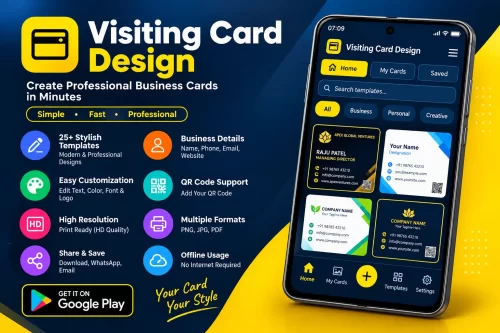
Welcome to MissionEdu’s premier visiting card design online free tool. Whether you are an entrepreneur launching a startup, an advocate, doctor, chartered accountant, real estate consultant, or corporate executive, your business card represents your professional identity and credibility. Our online maker empowers you to design, customize, 3D preview, and download print-ready visiting cards in minutes—with zero graphic design skills and no expensive software subscriptions.
Unlike other websites that force you to create accounts, place watermarks over your artwork, or secretly upload your contact numbers to remote databases, MissionEdu operates on a 100% client-side privacy architecture. Every phone number, email address, company name, and custom logo remains exclusively inside your device’s browser memory (HTML5 LocalStorage).
Why Choose MissionEdu’s Free Online Visiting Card Maker?
🎨 25 Handcrafted Luxury Templates
Switch between 25 curated aesthetics including Executive Onyx & Gold, Swiss Modern Minimal, Cyber Titanium Dark, Artisan Kraft, and Vintage Parchment with one click.
🛡️ 200 Inbuilt Logos & Custom Upload
Access 200 searchable vector emblems across 14 industry categories, or upload your own corporate PNG/JPG logo directly from your mobile phone or computer.
🔄 Interactive 3D Card Flip Studio
Inspect both the Front Side and Back Side in real-time 3D rotation with realistic drop shadows and dual layout configurations (Business Profile vs Minimal Monogram).
🔒 100% Client-Side Privacy Guarantee
No customer data, names, mobile numbers, or uploaded logos are ever saved to our web servers. Everything runs offline in your personal browser memory.
🖨️ 300 DPI Press-Ready PDF Export
Download commercial-grade A4 print sheets with standard 3.5″ × 2.0″ cut guidelines and crop marks, ready for any local print shop or offset press.
🌐 10 Global Languages Supported
Full multi-language translation engine supporting English, Hindi (हिन्दी), Spanish, French, German, Portuguese, Russian, Arabic (RTL), Chinese, and Japanese.
How to Design a Professional Visiting Card Online for Free
Designing an impactful business card takes fewer than two minutes following these five easy steps:
Step 1: Pick Your Preferred Design Theme
Browse through our 25 luxury handcrafted templates. Filter by Luxury, Minimal, Tech, Warm Craft, or Corporate to find the theme that matches your company’s branding.
Step 2: Choose an Emblem or Upload Your Logo
Pick from 200 vector icons (medical cross, balance scale, golden crown, tech chip, real estate tower) or upload your custom logo PNG/JPG file from your device.
Step 3: Enter Front Side Details
Fill in your full name, designation/job title, company name, brand tagline, mobile phone, email address, physical office location, and website URL.
Step 4: Customize the Back Side Layout
Switch to the Back Side tab to select between a Business Profile Overview (company bio and contact summary) or a Minimal Monogram (prominent logo badge and tagline).
Step 5: 3D Preview, Export & Print
Flip the card in 3D to verify all alignment and text contrast. Download a combined HD JPG presentation or an A4 Print-Ready PDF with precision cutting lines.
Standard Visiting Card Dimensions & Printing Specifications
Our tool adheres to international ISO and standard Indian commercial printing dimensions so your cards never get cropped or distorted during cutting:
| Format Specification | Inches | Millimeters (mm) | Pixels @ 300 DPI |
|---|---|---|---|
| Standard Indian / US Finished Size | 3.5″ × 2.0″ | 88.9 × 50.8 mm | 1050 × 600 px |
| Bleed Cut Safety Area | 0.125″ margin | 3.175 mm | 38 px |
| Recommended Paper Stock (GSM) | 300 GSM to 350 GSM Heavy Matte, Gloss, or Velvet Texture Cardstock | ||
| Print Color Profile | CMYK Equivalent High-Fidelity 300 DPI Vector-Aligned Rendering | ||
Frequently Asked Questions (FAQ)
Is this visiting card design tool completely free without watermarks?
Yes. MissionEdu provides this visiting card maker 100% free of charge. There are no paid tiers, subscription paywalls, or branded watermarks on your downloaded JPG or PDF files.
Are my personal and client details stored on your server?
No. Your security and privacy are completely guaranteed. All card data, phone numbers, and uploaded logos are stored strictly on your local computer or phone browser via HTML5 LocalStorage. No data is ever transmitted to or stored on our servers.
Can I print the downloaded PDF directly at local print shops?
Yes. The downloaded PDF file is formatted to international A4 dimensions at 300 DPI with exact 3.5″ × 2.0″ cut guidelines. Ask your printer to print at “100% scale” (do not scale or fit to page) on 300+ GSM cardstock.
How do I edit the back side of the visiting card?
In the editor panel, simply click the “Back Side” tab. The 3D preview card will automatically flip over, allowing you to choose between a “Business Profile Overview” layout or a “Minimal Monogram” layout, and enter your business summary.
Can I upload my own company logo or emblem?
Yes. Click on “Upload Logo from PC/Phone” to select any PNG, JPG, or SVG image from your device. Alternatively, you can select from our collection of 200 inbuilt vector emblems across 14 categories.
Why are right-click and direct screenshots disabled on this tool?
To protect template copyright and ensure design integrity, right-clicking and direct screenshot shortcuts are disabled. You can download your finished card using the built-in “Download Combined JPG” and “Download Print PDF” buttons.